vookeeperVookeeper home

How it works

A simple setup. A clear weekly bookkeeping rhythm.

Getting started with Vookeeper is straightforward. Once everything is connected, your dedicated bookkeeper works on your records every week, keeps questions organised through the client portal and prepares your books for a smooth year-end handover.

First, we get everything set up

  1. Step 1

    Select your plan

    Review our monthly plans and select the one that covers your number of monthly transactions.

  2. Step 2

    Complete onboarding

    Provide your details and set up your monthly payment online. You will also receive access to the Vookeeper client portal.

  3. Step 3

    Meet your bookkeeper

    We will introduce you to your dedicated bookkeeper, based in the Philippines and suited to your business reality.

  4. Step 4

    Software invite

    Invite your bookkeeper as a user to your accounting software.

What happens once your service starts?

Your bookkeeping follows a regular weekly cycle rather than being left until the end of the month or year.

  • Your bookkeeper reviews new activity

    Each week, your bookkeeper reviews the transactions and records available in your accounting software, including relevant bank, card, sales and purchase activity.

  • Your records are updated

    Transactions are matched, categorised and reconciled using the information available. VAT coding is maintained where applicable and within the agreed scope of your plan.

  • Unclear items are raised with you

    Your bookkeeper will not guess when information is missing or a transaction is unclear. Instead, they will send you a focused question or document request through the client portal, while the transaction is still relatively fresh.

  • You respond when something is needed

    You can reply to your bookkeeper, upload a receipt or invoice, or provide the missing information through the portal. Once you respond, your bookkeeper can resolve the item and continue updating your records.

  • Your books stay in better order

    This weekly rhythm helps prevent unreconciled transactions, missing documents and unanswered questions from building up over several months. It also means your accountant receives cleaner and better-organised records when the accounting year ends.

What does a typical week look like?

You do not need to manage your bookkeeper's day-to-day work. Your bookkeeper reviews the records available, processes the routine bookkeeping and contacts you only when information or clarification is required.

Your main responsibilities are to:

  • Keep the agreed accounting software and bank-feed access available
  • Provide invoices, receipts and other records that are not already available
  • Respond to questions within a reasonable time
  • Tell your bookkeeper about significant changes to your business or finances

Your bookkeeper takes responsibility for carrying out the routine bookkeeping covered by your plan, including processing transactions, performing reconciliations, identifying missing information and keeping the records organised.

Your client portal

One place for your bookkeeping conversations

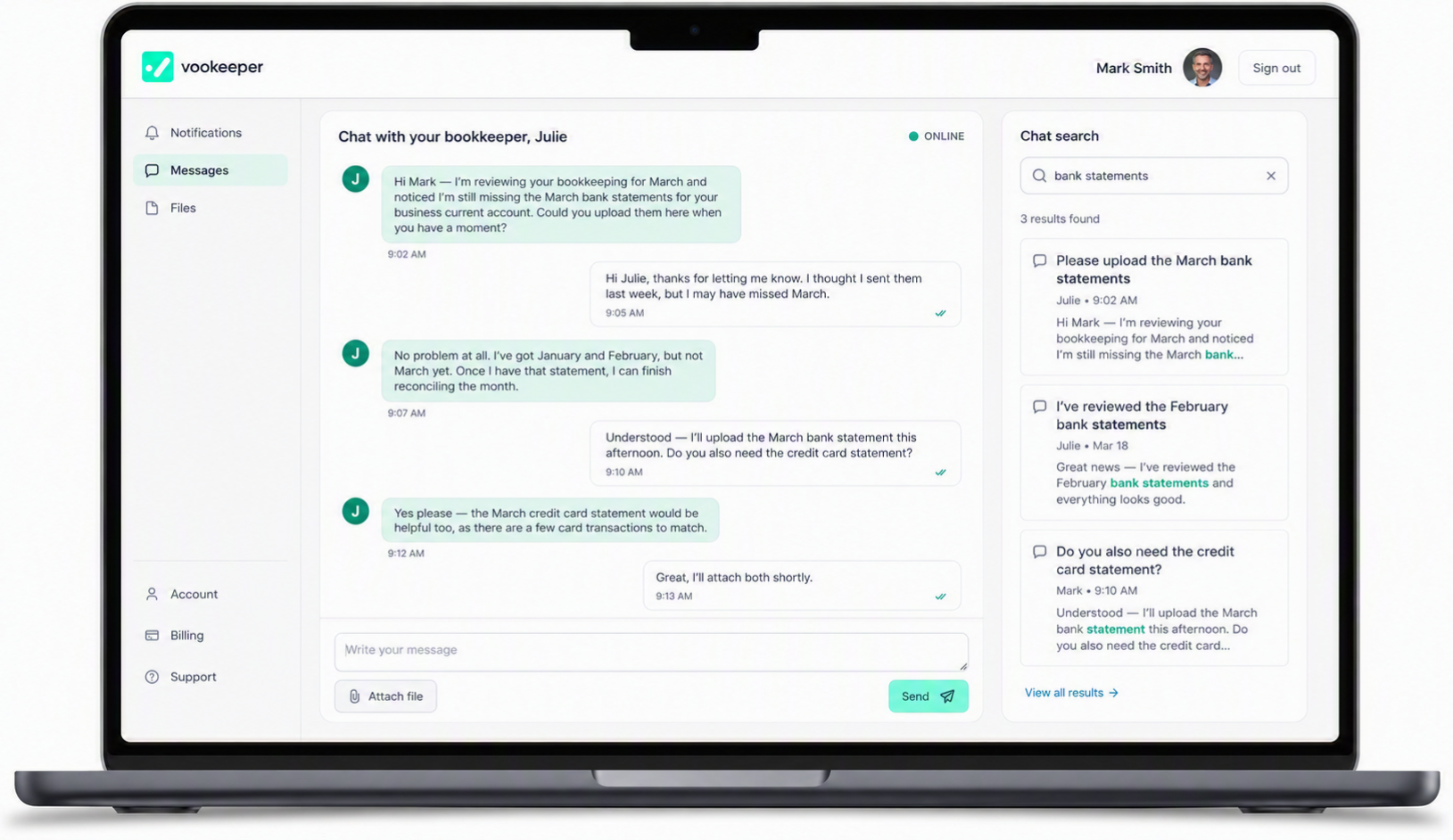
The Vookeeper portal gives you a central place to work with your bookkeeper instead of relying on scattered emails and attachments.

Through the portal, you can:

  • Message your dedicated bookkeeper
  • Respond to bookkeeping questions
  • Upload and share documents securely
  • View document requests and outstanding actions
  • Communicate with our Support Team for admin issues
  • Manage your plan and billing
Vookeeper client portal showing messages, documents and bookkeeping requests

Your bookkeeping records continue to be maintained in your accounting software. The portal acts as the communication and coordination space around that work.

Year-end handover

What happens at year-end?

Once your accounting year is complete, your bookkeeper hands over organised records to your accountant.

  1. Step 1

    Books kept current all year

    Your dedicated bookkeeper processes transactions and reconciliations every week, so records are not left until year-end.

  2. Step 2

    Year-end bookkeeping checks

    At the end of your accounting period, remaining bookkeeping items are reviewed and cleared where possible.

  3. Step 3

    Handover to your accountant

    Organised records are passed to your accountant in your accounting software — ready for them to begin their work.

  4. Step 4

    Your accountant takes over

    They prepare accounts, tax returns and any filings. That work sits outside routine bookkeeping and remains their responsibility.

What's the difference between bookkeeping and accounting?

Vookeeper

Your bookkeeper

Routine bookkeeping throughout the accounting year.

  • Records and categorises transactions every week
  • Reconciles bank and card activity
  • Keeps your books current in your chosen software
  • Prepares organised records for year-end handover

Your accountant

Accounts and tax

Statutory and compliance work from your bookkeeping records.

  • Prepares year-end accounts
  • Handles corporation tax or self-assessment
  • Advises on tax and compliance matters
  • Files with Companies House and HMRC where required

Year-end handover to your accountant is included in all monthly plans. The process is straightforward — your books stay in your software, clearly organised and ready to use. Read more in the FAQ.

Ready to make bookkeeping feel simpler?

Select a plan, get your own dedicated bookkeeper and keep your financial records moving forward every week.